


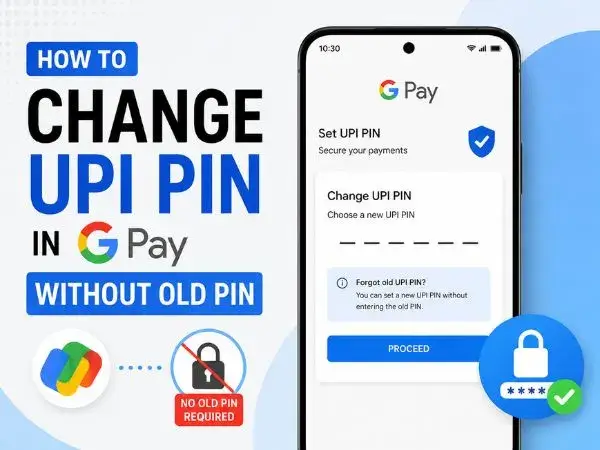
There is nothing quite as panic-inducing as standing at a checkout counter, scanning a QR code, and suddenly realizing you have completely forgotten your UPI PIN. If you enter the wrong PIN three times, Google Pay (GPay) will temporarily block your transactions for 24 hours to protect your account.
If you don’t remember your current PIN, you cannot simply use the standard “Change UPI PIN” option. Instead, you have to use the “Forgot UPI PIN” feature to securely reset it.
Fortunately, the National Payments Corporation of India (NPCI) and Google Pay have made this process incredibly smooth. You no longer even strictly need a debit card—you can now reset your PIN using just your Aadhaar card. Here is exactly how to get your GPay account working again in less than two minutes.
What You Need Before You Start
Because resetting a PIN bypasses your old password, the bank needs a different way to verify that you are the actual account holder. Before opening the app, make sure you have one of the following:
- Your active Debit/ATM Card: You will need the last 6 digits of the card number and the expiry date. Aditya Birla Capital
- Your Aadhaar Card Number: Your bank account and your Aadhaar card must be linked to the same mobile number for this to work. Aditya Birla Capital
Step-by-Step: Resetting Your UPI PIN in Google Pay
Follow these exact steps to securely reset your PIN and get back to making payments.
1.Open Google Pay and Go to Profile:
Launch the Google Pay app on your phone. In the top right corner of the home screen, tap on your Profile Picture.
2.Access Your Linked Banks:
Under the “Set up payment methods” section, tap on Bank account. This will display a list of all the bank accounts currently linked to your GPay.
3.Select the Specific Bank Account:
Tap on the specific bank account for which you have forgotten the PIN. (Remember, every bank account has its own unique UPI PIN).
4.Tap ‘Forgot UPI PIN’:Do not tap ‘Change UPI PIN’.
On the account details page, look toward the bottom and tap Forgot UPI PIN.
5.Verify Your Identity:Choose between Debit Card or Aadhaar based on what you have handy.
A prompt will ask how you want to verify your account.
- If using a Debit Card: Enter the last 6 digits of your card and the MM/YY expiry date.
- If using Aadhaar: Enter the first 6 digits of your Aadhaar number.
6.Enter the Bank/UIDAI OTP:Do not share this OTP with anyone.
You will receive a One-Time Password (OTP) via SMS. If you used a debit card, it comes from your bank. If you used Aadhaar, you will receive an OTP from UIDAI. Enter this 6-digit code into the app.
7.Set Your New UPI PIN:
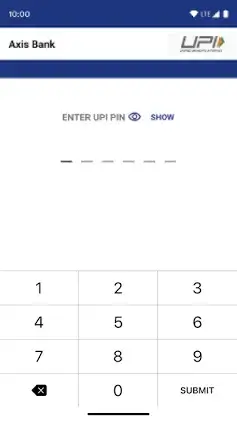
Once the OTP is verified, you will be prompted to create a new 4-digit or 6-digit UPI PIN (depending on your bank). Enter it once, tap the checkmark, and enter it a second time to confirm.
Once you see the success message, your new PIN is instantly active. You do not have to wait 24 hours to use it—you can make a transaction immediately.
also read : – Cursor AI: The Code Editor That Feels One Step Ahead
Important Security Reminders
- Never set an obvious PIN: Avoid sequential numbers like
123456, repeated numbers like111111, or your birth year. - Aadhaar Seeding: If the Aadhaar method fails with an error stating “Aadhaar not linked to bank,” it means your bank has not completed Aadhaar seeding for your account. You will either need to use a debit card or visit your bank branch to link them.
- App-Specific PINs: Your UPI PIN is tied to your bank account, not the app. If you change your UPI PIN in Google Pay, it automatically changes for that same bank account in PhonePe, Paytm, and BHIM as well.
Frequently Asked Questions (FAQ)
Can I reset my UPI PIN without a debit card?
Yes. Most major banks now support Aadhaar-based authentication. As long as your Aadhaar and bank account are linked to the same phone number, you can select the “Aadhaar” option during the reset process instead of a debit card.
Why is Google Pay asking me to wait 24 hours?
If you enter the wrong UPI PIN more than three times, the NPCI locks your account for 24 hours as a fraud prevention measure. However, if you successfully reset your PIN using the steps above, the lock is lifted, and you can transact immediately.
Do I need an ATM PIN to reset my UPI PIN?
It depends on your bank. While most banks only require the OTP sent to your phone, some specific banks (like Citibank) require you to enter your ATM PIN during the debit card verification step.
Is my Google Pay app lock PIN the same as my UPI PIN?
No. Your Google Pay PIN (or screen lock/Face ID) is just used to open the application. Your UPI PIN is a secure code used exclusively to authorize money leaving your bank account.